Why did I do this?
Like always being bored is the reason for anything I do with tech. With the AI hype threatening my job (LOL), I wanted to play around with LLMs for actual daily use and not just generating slop.
Since I own FriendlyElec’s CM3588 board with RK3588 with 32GB ram and 256GB storage it was overkill for my home lab use with CF tunnel, K3s cluster and containers just serving me my flac files, Immich and occasional side projects which I never use. I was aware that this board has an NPU but I never had the time to play with it and run a model off it. I did try ollama in my desktop but it never made any sense because of the resource usage and power consumption.
Ollama can be used to run models off this Board but it uses CPU and GPU - I tried and it was painfully slow.
How does everything work?
librkllmrt.so is the shared libary that can leverage NPU on Rockchips’s NPU hardware. This is what we need to talk to NPU and make our model run better. There are binaries built that use librkllmrt.so library - this is called a runtime or in this case an rkllm runtime. A very well explained doc . I will not be converting llm with toolkit to run it but download a converted model from huggingface.
This guide just clones the rknn-llm repository and copies the runtime to linux /usr/lib and builds a runtime binary to run rkllm models.
There is repo I found that works as an alternative to ollama - NotPunchnox/rkllama this can be used to access our model from open-webui but that is another blog! if I stay interested in this topic long enough.
Prerequisites
- Hardware: RK3588 based SBC (8GB+ RAM)
- NPU Driver: Version
v0.9.8or higher (cat /sys/kernel/debug/rknpu/version) - Dependencies:
build-essential,cmake,git
Introduction
This guide walks through the installation of the RKLLM (v1.2.3) runtime on Rockchip RK3588 hardware.
System Library Installation
The core of RKLLM is the shared library librkllmrt.so. We must install this into the system path so our applications can access the NPU hardware.
# Clone or download the RKLLM release
git clone [https://github.com/airockchip/rknn-llm.git](https://github.com/airockchip/rknn-llm.git)
cd rknn-llm/rkllm-runtime

# Copy the library to system path
sudo cp Linux/librkllm_api/aarch64/librkllmrt.so /usr/lib/

# Copy headers for development
sudo cp Linux/librkllm_api/include/* /usr/local/include/

# Refresh library cache
sudo ldconfig
Building the CLI Runtime (rkllm)
Instead of using a pre-compiled binary, we build the llm_demo from source to match my specific system GLIBC version.
Create a Native Build Script
Inside rkllm-runtime/examples/rkllm_api_demo/deploy, create build_native.sh:
#!/bin/bash
set -e

rm -rf build && mkdir build && cd build

cmake .. \
    -DCMAKE_CXX_COMPILER=g++ \
    -DCMAKE_C_COMPILER=gcc \
    -DCMAKE_BUILD_TYPE=Release \
    -DCMAKE_SYSTEM_NAME=Linux \
    -DCMAKE_SYSTEM_PROCESSOR=aarch64

make -j$(nproc)
Execute Build
chmod +x build_native.sh

./build_native.sh

# Move binary to global path
sudo cp build/llm_demo /usr/bin/rkllm
Optimizing the Environment
LLMs require a high number of open file handles. Update your system limits to avoid Too many open files errors.
echo "* soft nofile 16384" | sudo tee -a /etc/security/limits.conf
echo "* hard nofile 1048576" | sudo tee -a /etc/security/limits.conf
#Logout and log back in for changes to take effect.
Pulling a model from Hugging face with GIT
Install Git LFS (one time thing)
git lfs install

#sample

git clone https://huggingface.co/ORGANIZATION_OR_USER/MODEL_NAME
LLM Collection: Hugging face rkllm model
#example

git clone https://huggingface.co/GatekeeperZA/Qwen3-1.7B-RKLLM-v1.2.3
Running a Model
# Usage: rkllm [model_path] [max_new_tokens] [max_context_len]
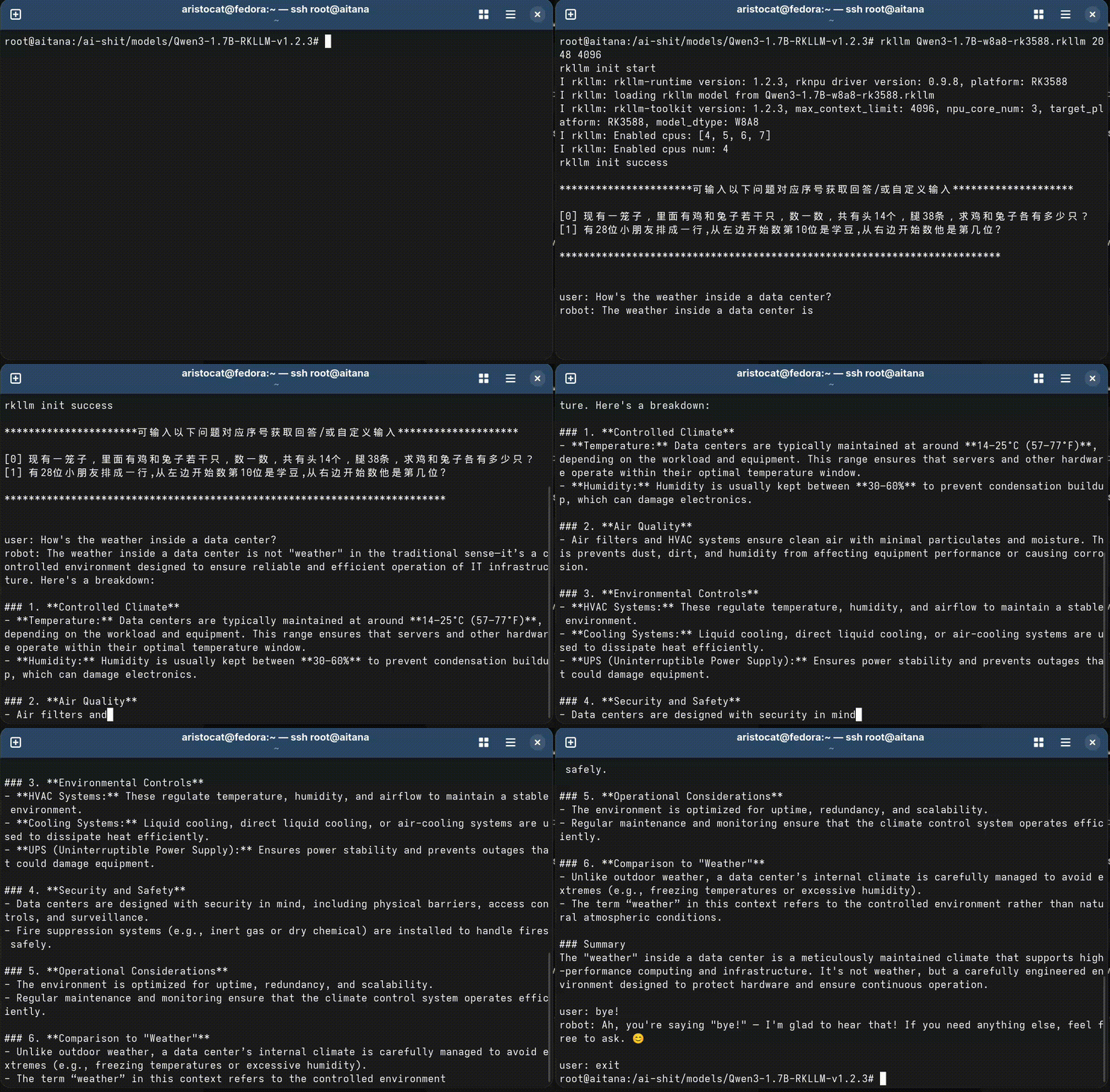
rkllm path/to/Qwen3-1.7B-w8a8-rk3588.rkllm 2048 4096
Monitoring NPU Usage
To verify the NPU is actually doing the work, monitor the load in a separate terminal:
watch -n 1 cat /sys/kernel/debug/rknpu/load
Source
Repository: airockchip/rknn-llm